Blurry photo detection now available
Wooma now checks every photo for blur as you take it. If a photo isn't sharp enough, you'll be prompted to retake it before you move on.
Photos are the backbone of any inventory or check-out report. When a deposit is disputed months later, a clear photo of a scuffed wall or a stained carpet is often what settles it. A blurry one leaves you without the evidence you need, and by then it's too late to go back and take another.
Sharp photos matter for Wooma's image scanning too. The clearer the photo, the more reliably Wooma can identify what's in a room and describe its condition, so catching a blurry shot at the time it's taken helps keep your scan results as accurate as possible.
Blurry photo detection works in three steps:
- Take a photo as normal.
- Wooma analyses it as soon as it's captured.
- If it's blurry, you'll be asked to retake it.
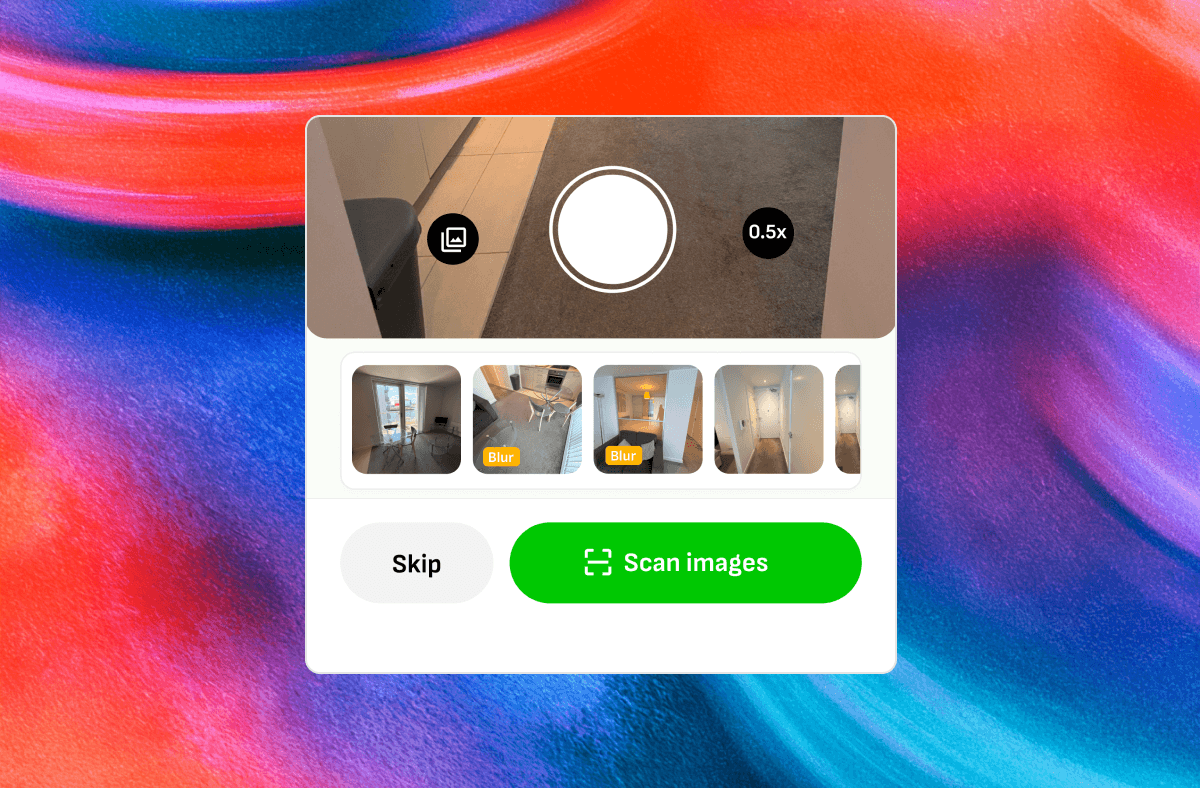
The result is evidence you can rely on, captured right first time, and sharper photos for Wooma to scan.
Blurry photo detection is available now on web and mobile. On mobile, search for "Wooma AI" in the App Store or Google Play and make sure you're running the latest version. If there's no update available, your app has already updated automatically. On web, there's nothing to do: it's already live.