Deposits, handled in the blink of AI.

Wooma scans your photos and writes detailed inventory reports for you, then compares everything for you at check-out, highlighting any changes.

Trusted by leading teams managing thousands of properties each

REA GroupNorthwoodMartin & CoRitehomeLomondRettieREA GroupNorthwoodMartin & CoRitehomeLomondRettie

Less time on deposits.
More time on service.
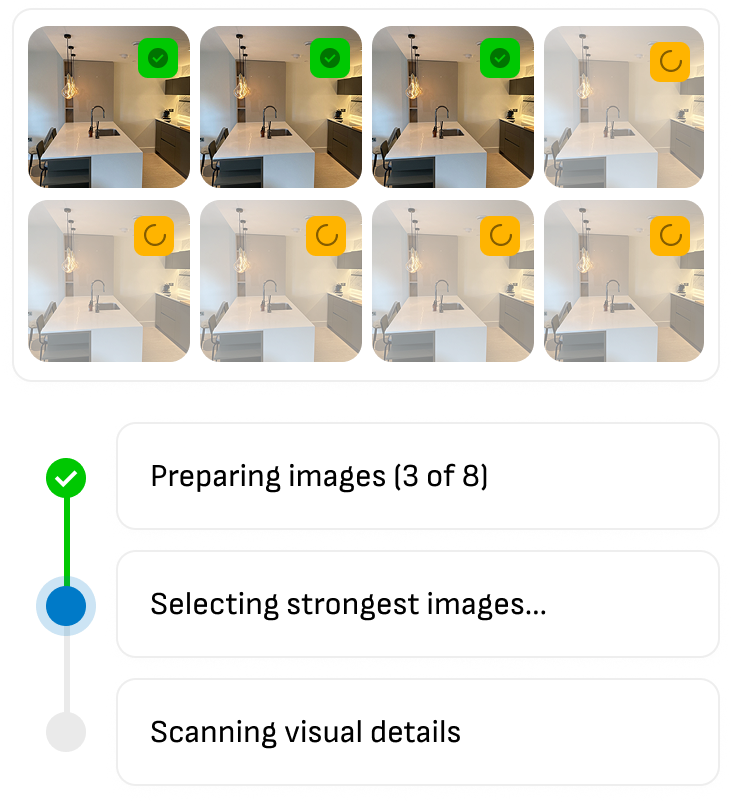
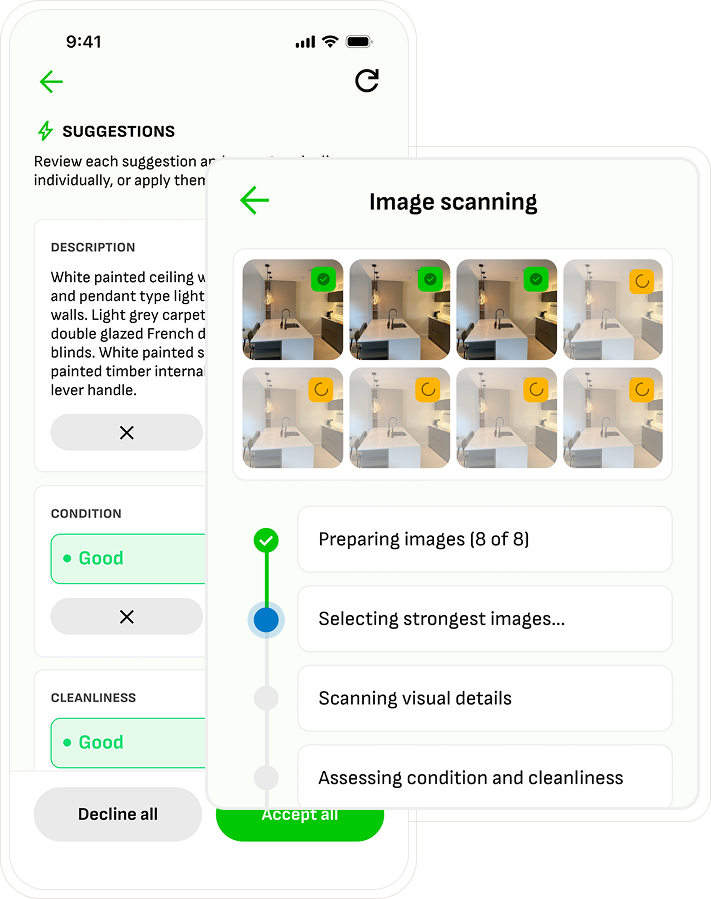
Wooma app scanning property photos to draft an inventory report automatically

Photos to finished reports, instantly.

Take photos, scan, then watch Wooma work. No typing, no guesswork.
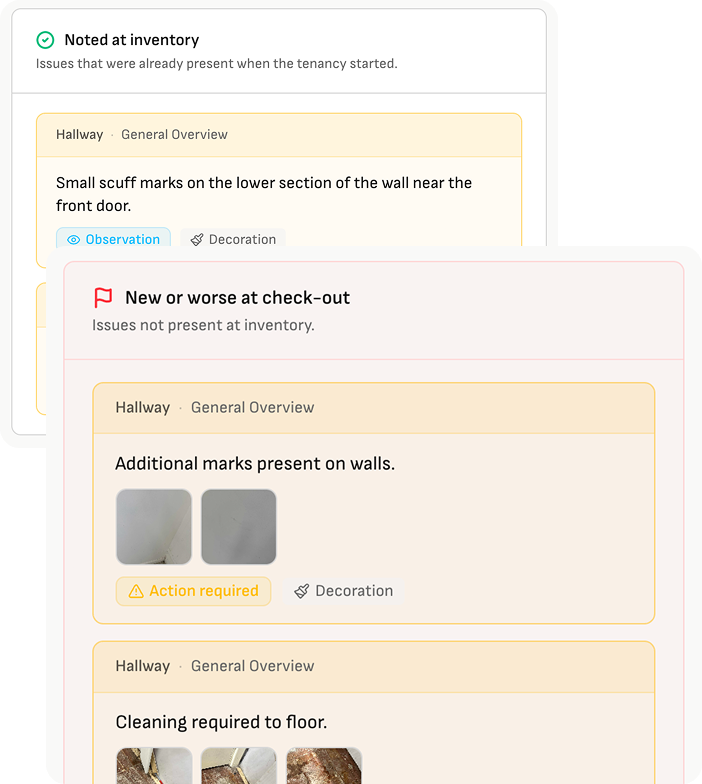
Wooma report flagging condition changes between check-in and check-out photos

Every change flagged automatically.

Wooma compares check-out directly to check-in, generating a clear summary of changes.
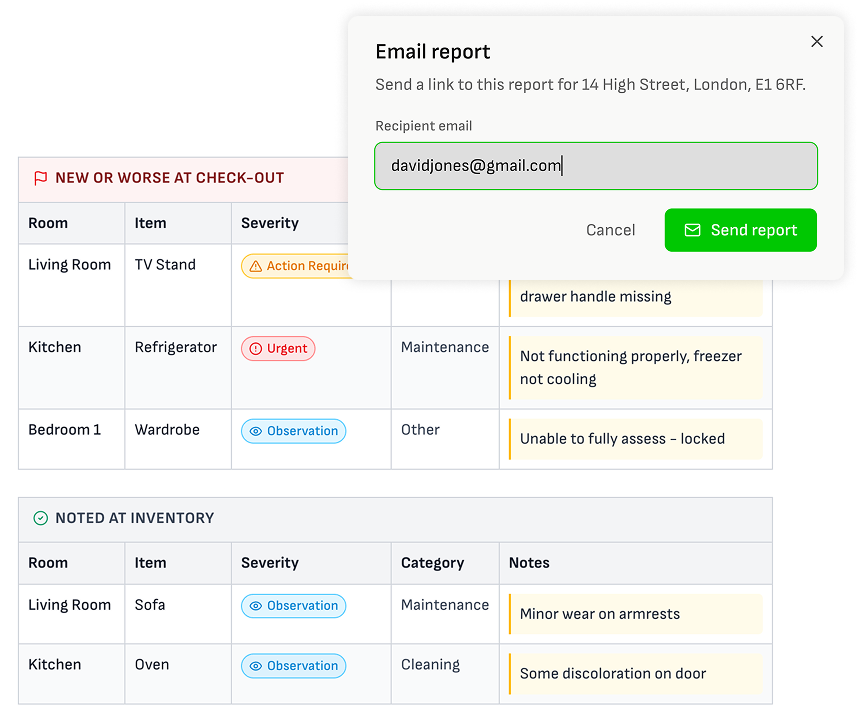
Finished Wooma deposit report shared by email with itemised evidence of changes

Handle deposit returns quickly and fairly.

Generate clear documentation of any changes, stopping disputes before they happen.

Eliminate manual property data entry.

Free your team to focus on delivering client service without inventory paperwork getting in the way.
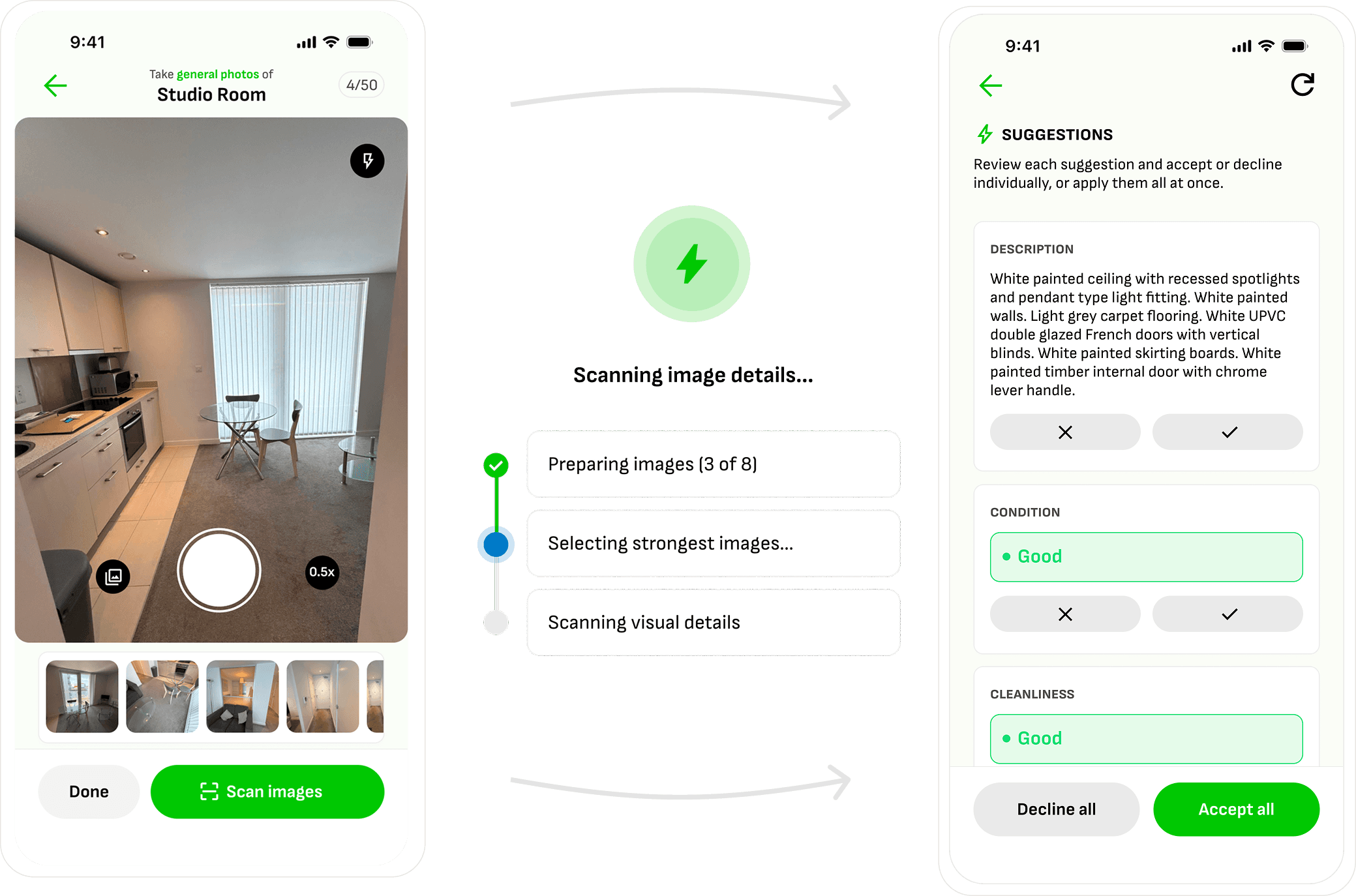
Wooma app screens showing a room being photographed, images being scanned, and AI-generated suggestions for description, condition, and cleanliness

Create a thorough inventory

Wooma scans your images and generates accurate, detailed inventories of entire rooms and any items present.

Assess the condition

Wooma checks the space in detail, based on your own criteria, and gives a rating of the cleanliness and condition.

Capture issues

Spot an issue Wooma didn’t catch? Take a photo and Wooma will write it up for you, categorising it and flagging severity.

“Wooma has quickly become an invaluable part of our workflow, delivering significant time savings. The AI functionality is a genuine game changer, and combined with seamless CRM integration, it’s reduced the administrative burden on our team enormously.”


The Lomond Property team in their office lounge

Cut the busywork from check-outs and deduction negotiation.

Get a clear breakdown of exactly what's changed since move-in. Every item is tagged, categorised, and ready to justify a potential deduction. No more scrolling through PDFs playing spot the difference.

Check-out issues automatically identified

Wooma summarises all new issues clearly at check-out, so you can see at a glance what might need to be considered for a deduction.
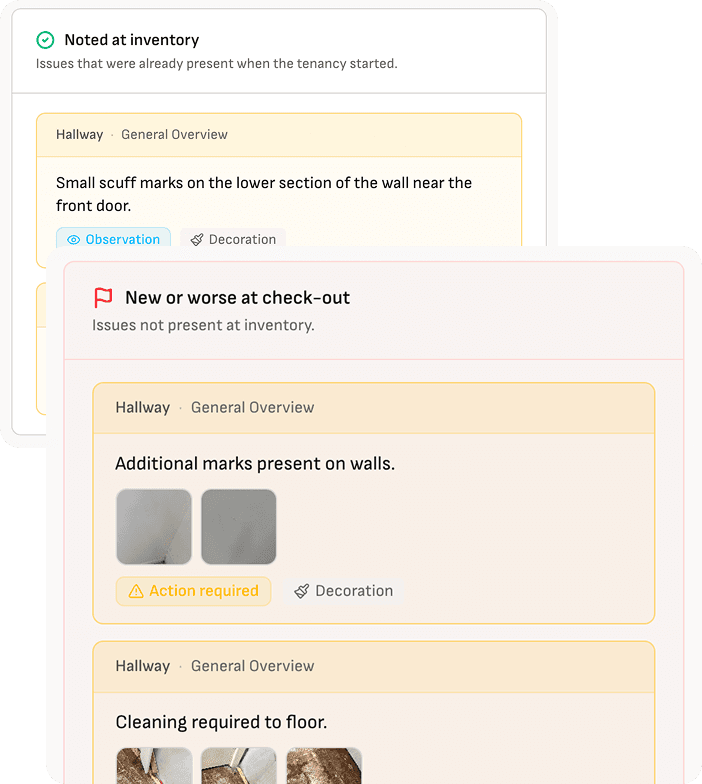
Wooma interface showing issues noted at inventory and new or worse issues flagged at check-out, categorised with severity labels

Generate clear and concise documentation

Generate clear and concise docs as evidence to back up your decisions, making sure everyone is in the loop and treated fairly.
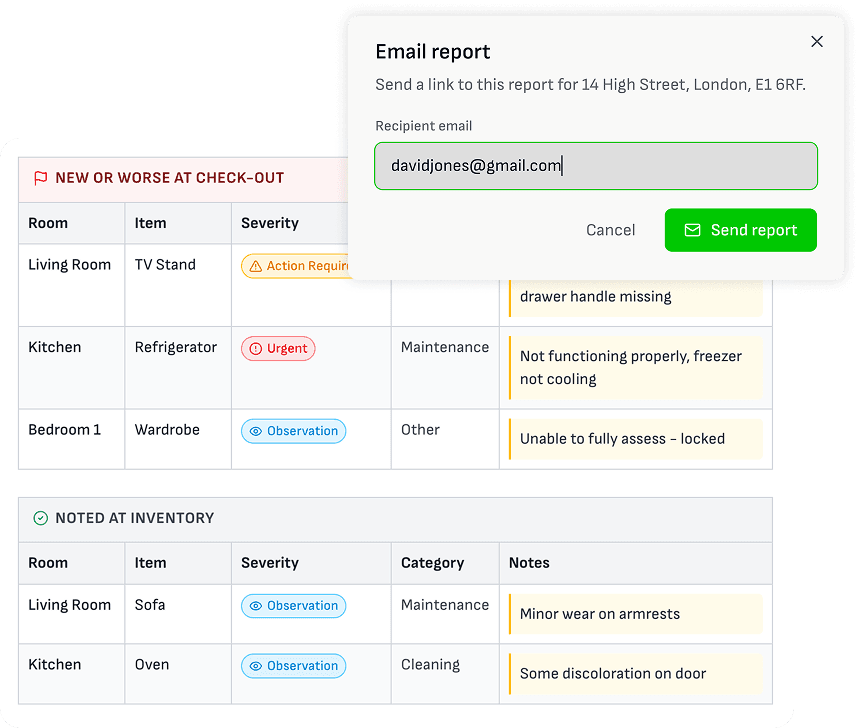
Wooma report table listing new or worse issues found at check-out and issues noted at inventory, with an email report dialog for sharing the report

Give your clients a step-up in service quality they'll notice.

Consistent reports, every time

The same professional standard whichever clerk carried out the inspection.

Hassle-free deductions

A clear record of what's new since move-in means fewer arguments less back and forth.

Reports anyone can read quickly

Concise docs with plain English descriptions and easy navigation.

Access any time, from anywhere

Links to finished docs, for whenever a client wants to check on their property.

The same quality report, whoever's holding the camera.

Wooma standardises the language, corrects the grammar, and holds every report to the same standard, so quality doesn't depend on who's on shift.
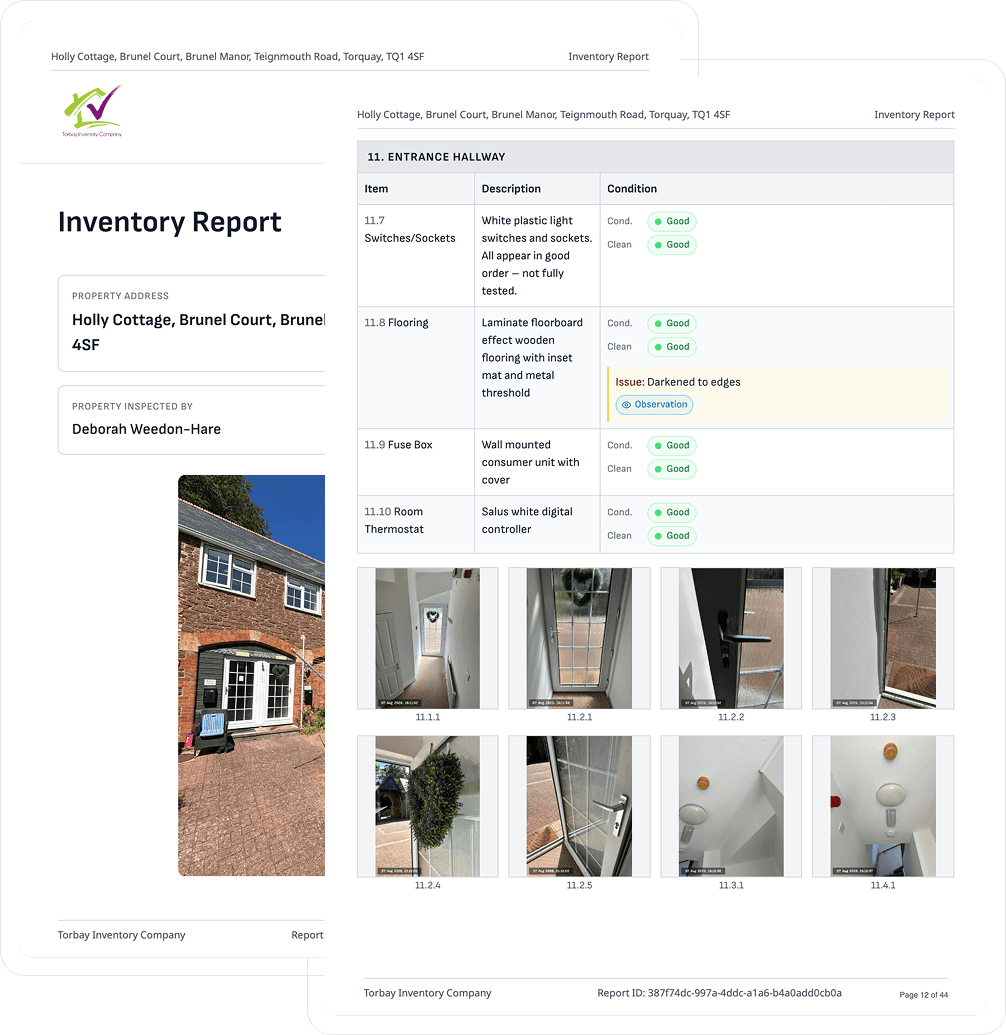
Two overlapping inventory report pages showing consistent formatting, headers, and photo grids

Everything you get from legacy platforms, and then some.

No connection? No problem.

No signal, no problem. Keep working as normal, and it all syncs the moment you're back online.

Meters, keys & detectors

Gas, electric, water, oil and LPG readings, key sets and smoke/CO alarm status, all logged with photo evidence.

Compliance on file

EPC, Electrical and Gas Safety Certificates, and legionella assessments held alongside the report.

Team checklists

Customisable sign-off steps before anything goes out the door.

Branded, locked PDFs

Your logo, your layout, and a report that can't be edited once it's complete.

One-click sharing

Download, copy a link, or email the finished report straight to tenants, landlords or adjudicators.

Room duplication

Copy an identical bedroom's full item set instead of starting from scratch.

Auto-save, always

Nothing's lost moving between tabs, rooms or devices.

Auto CRM sync

Docs flow into your CRM automatically once completed.

Reports that sign themselves off.
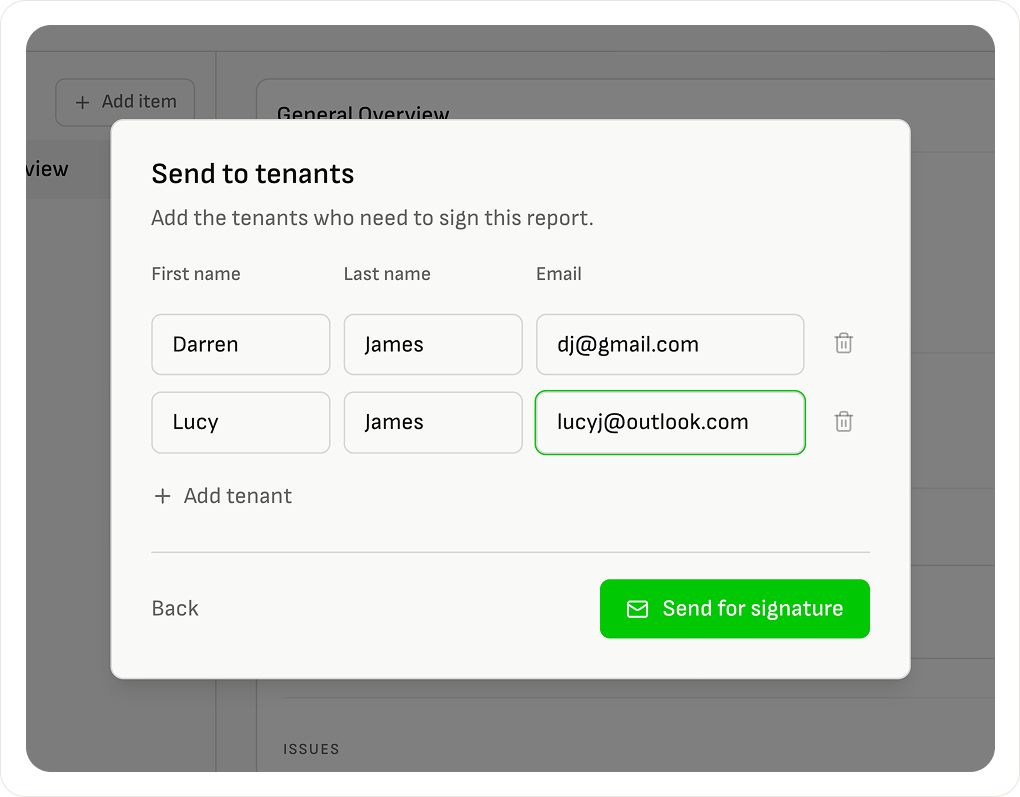
Wooma report shared with a tenant as a single link to review and sign

Sent to tenants, not emailed.

One link to review, eSign, and download. No printing, no emailing PDFs.
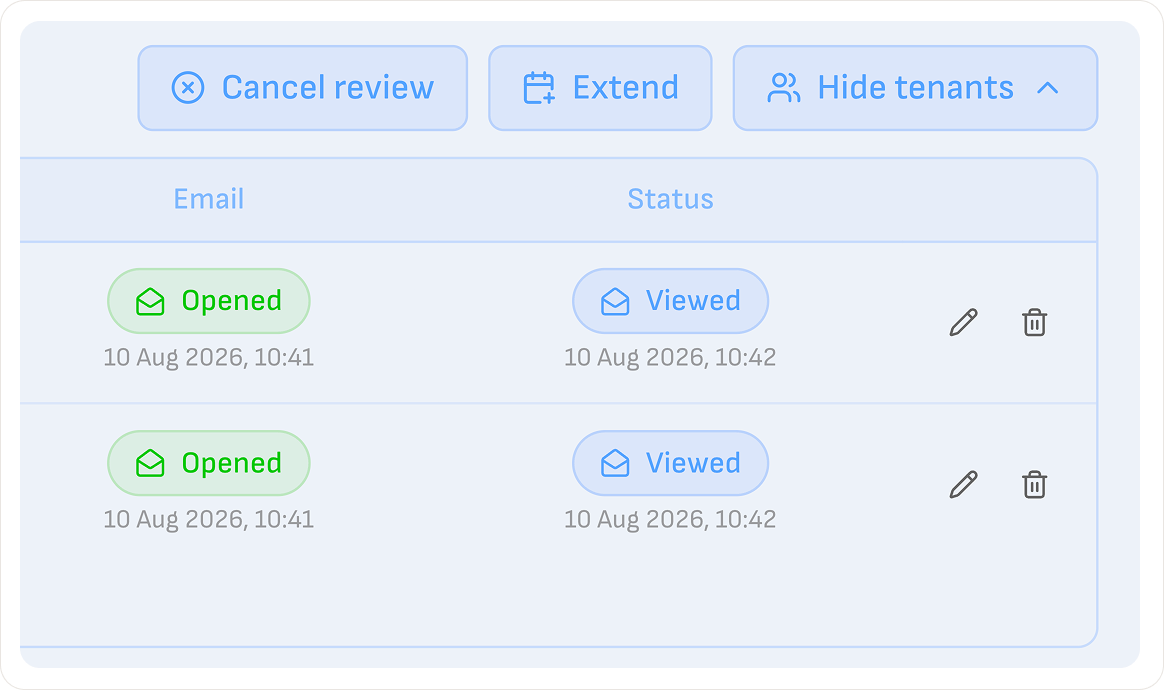
Wooma dashboard tracking when a report was delivered, opened, and signed

Every step tracked automatically.

Wooma shows you when it's delivered, opened, and signed, so nothing gets lost.
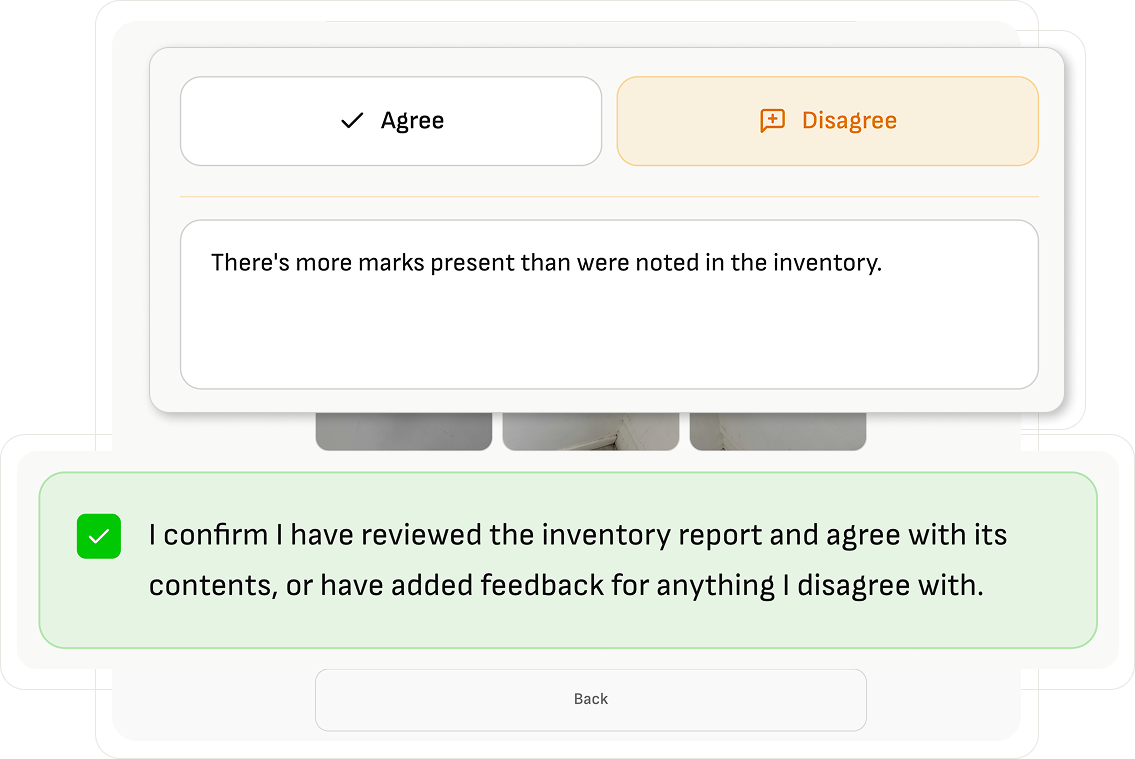
Tenant flagging a disputed item and adding a photo directly in the Wooma report

Feedback handled on auto-pilot.

Tenants flag anything they disagree with and add their own photos, right in the report.

FAQ

Wooma Deposits is AI software for check-in, mid-term and check-out inventory reports. You walk the property taking photos, and Wooma scans them to draft the description, condition and cleanliness of every room and item. At check-out, it automatically compares the new photos against the check-in report and highlights exactly what has changed.

Yes. Wooma reports are built to meet the evidence standards used by all three UK deposit protection schemes, TDS, mydeposits and the DPS. Every item includes timestamped photos, tagged conditions and a full audit trail, and the finished report is locked so it cannot be edited after completion.

Yes. Because the report shows a photo timestamped record of condition at check-in compared directly against condition at check-out, it gives adjudicators a clear, dated trail of what changed during the tenancy. Locked, tenant signed-off reports carry more weight in a dispute than unsigned notes or emailed photos.

At check-out, Wooma automatically lines up the new photos against the original check-in record, room by room and item by item, and generates a summary of what has changed. Each change is tagged and categorised, so you can see immediately what might justify a deduction without scrolling through two separate PDFs side by side.

You will always see exactly when the report was delivered and opened. If a tenant does not respond within your chosen review window, the report can be marked as delivered without sign-off and it still stands as evidence, since the delivery and viewing history is recorded automatically.

Yes. Tenants receive a single link to review the report, and can flag anything they disagree with or add their own supporting photos directly within it. This feedback is captured alongside the original entry rather than sent back and forth by email, so there is one clear record of what was raised and when.

Yes. Letting agents use Wooma to run check-in, mid-term and check-out inspections across an entire portfolio from one account, with team checklists, branded PDFs and reports syncing automatically into their CRM. Every report follows the same standard regardless of which member of staff carried out the visit.

Yes. Inventory clerks use Wooma to cut the time spent writing up reports by hand, since the AI drafts room descriptions, condition and cleanliness ratings directly from the photos taken on site. Clerks can still add or edit any entry Wooma has not caught, so professional judgement stays part of every report.

Yes. A landlord managing a single let can use Wooma exactly the same way as a large agency, walking the property with a phone camera and letting the AI produce a scheme-ready report. There is no need for spreadsheets, templates or manual write-ups to get evidence that meets the same standard as a professional inventory.

Yes. Wooma scales from single properties to large, multi-unit portfolios. Room duplication lets you copy an identical bedroom set-up instead of starting from scratch, and team checklists and centralised billing are built for larger teams managing HMOs and bigger books.

Yes. You can keep taking photos and working through a property with no signal, and everything syncs automatically the moment your device is back online. This is designed for basements, rural properties and buildings with poor mobile coverage where connectivity cannot be guaranteed.

No, and that is by design. Once a report is complete and signed off, it locks as a single, unchangeable PDF. This is what gives it weight as evidence, since neither party can alter the record after the fact. Any later issue is raised as a new entry rather than a change to the original report.

Wooma standardises the language, corrects grammar and applies the same assessment criteria to every report, regardless of who carried out the inspection. This means a junior team member and a senior property manager produce reports to the same professional standard, so quality never depends on who was holding the camera that day.

Switch to Wooma today.
Accelerate tomorrow.