
Since the start of October, we've shipped ten key updates to Wooma based on your feedback from using the platform.
Here you can learn what each update does, in plain English, with a link to the full write-up if you want the detail. Skim the headings, read what's relevant to you and let us know if there's anything else you need from us.
At a glance
- Check-outs: work against a reference inventory and tag who's responsible for each issue.
- Reviewing reports: AI summaries, and every issue and compliance gap in one view.
- Admin: inventories sent to tenants on move-in day, branded report emails, and Reapit properties synced automatically.
- Evidence: blurry photos caught on the spot, item-by-item image scanning and fuller PAT readings.
- Everyday use: stay logged in until you choose to log out.
Check-outs and deposits
Check-outs are where a deposit is won or lost, so most of this month's work went there.
Reference inventories and issue responsibility
You can now attach the original inventory to any check-out and work through the two side by side, even offline. It doesn't have to be a Wooma report. Inventories from other platforms work too, so changing systems partway through a tenancy doesn't leave you without the original inventory.
Issues noted at check-out can also be tagged as tenant cost, landlord cost, fair wear and tear, or N/A. You can filter by responsibility as you review, and the PDF report is organised the same way, so potential deductions are clear at a glance.
Read more about reference inventories and issue responsibility
Every issue and compliance gap in one view
The Summary page now pulls every issue and compliance gap in a report into a single list. You can review the photos, make edits, change categories and export, all without working through the full report. It's built for back-office work on web, and there's a lite version in the mobile app for quickly comparing the inventory with the check-out.
Read more about the issues view
Report summaries in seconds
Open the Summary tab, click "Summarise this report", and you'll have the key points in a few seconds. It's useful before updating a landlord, deciding on deductions or preparing evidence for a deposit scheme. You still make the decisions. The summary just gets you to the important parts faster. Available on web.
Read more about report summaries
Less admin
Inventories sent to tenants on move-in day
Finish an inventory whenever it suits you, then pick the date the tenancy starts. Wooma sends it to the tenant for signature at midnight UK time on that day. If your CRM is connected, the tenants' details are filled in for you. You no longer have to remember to come back and send it.
Read more about scheduled send

Branded, AI-assisted report emails
A new email composer lets you send to several people at once, and each person gets their own email, so a landlord's details never end up with a tenant. You can add an AI summary of the report in one click. Completed report emails now carry your logo, header and footer. If your CRM is connected, Wooma suggests the right recipients.
Read more about the new email composer
Reapit properties, synced automatically
If you use Reapit, any property with a current tenancy now comes into Wooma automatically, along with its landlord and tenant details. Properties already in Wooma are matched rather than duplicated, and archived properties stay in sync. Completed reports go straight back to the matching property in Reapit. To switch it on, email support@wooma.com.
Read more about the Reapit integration

Sharper evidence
Blurry photo detection
Wooma now checks every photo for blur as it's taken and asks you to retake any that aren't sharp. That gives you evidence that holds up if a deposit is disputed months later, and it makes image scanning more accurate. Available on web and mobile. We're improving the accuracy of this feature all the time.
Read more about blurry photo detection
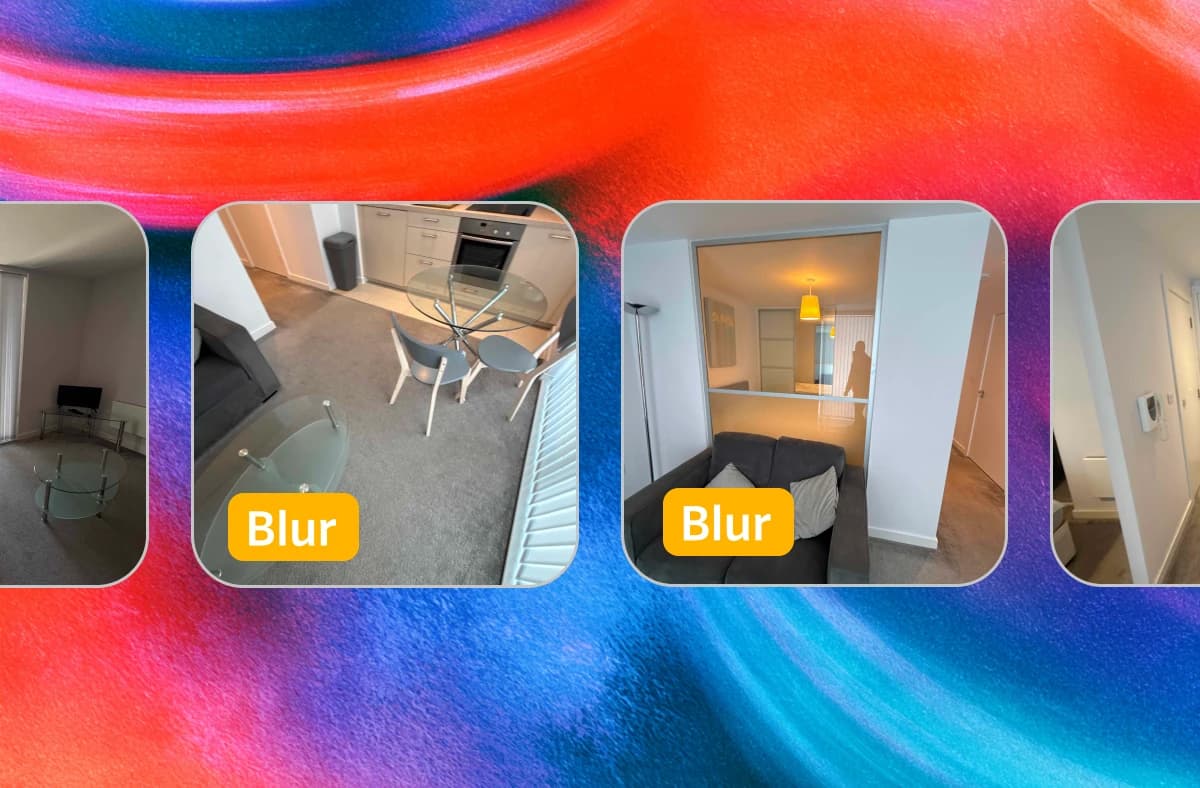
Choose how image scanning lists items
A new "Group detected items" setting controls how image scanning describes a room. It's on by default, which groups similar items under labels like furniture or appliances. Switch it off and every visible item is listed and described separately, giving you a full item-by-item inventory. You'll find it on web under Settings > AI Integration.
Read more about grouping detected items

More complete PAT reports
For applicable appliances, PAT reports now record earth continuity, insulation resistance and leakage current. Enter each reading and Wooma works out pass or fail automatically. Every result goes into the final report. Available on web and mobile.
Read more about PAT report improvements
Small, but noticeable
Stay logged in for longer
Once you've logged in on a device, you stay logged in until you log out yourself. No more waiting for an emailed login code while you're standing in a property.
Read more about staying logged in

That's October
A lot of this list started as a suggestion from someone using Wooma day to day, so thank you. Keep the feedback coming: it shapes what we build next. We value your input and we're always glad to listen to your suggestions to make Wooma even more useful for you.
Frequently asked questions
What's new in Wooma in October 2026? Ten key updates. They cover check-outs (reference inventories and issue responsibility), report reviews (AI summaries and a single issues view), admin (scheduled inventory sending, branded emails and automatic Reapit syncing), evidence quality (blurry photo detection, item-by-item image scanning and fuller PAT readings), and staying logged in for longer.
Do I need to update anything to get these features? Mostly, no. They're already live. For blurry photo detection on mobile, make sure you're on the latest version of the Wooma AI app from the App Store or Google Play. If there's no update showing, your app has already updated automatically.
Can I use an inventory from another provider at check-out? Yes. You can attach a reference inventory from any platform, not just Wooma, and work with it side by side during the check-out, including offline.
Does Wooma decide who pays for damage at check-out? No. You assign responsibility for each issue: tenant cost, landlord cost, fair wear and tear, or N/A. Wooma then organises the issues and the PDF report around your decisions. AI summaries help you get to the key points faster, but the decision stays with you.
Does Wooma integrate with Reapit? Yes. Properties with a current tenancy sync into Wooma automatically with landlord and tenant details, and completed reports can be sent back to Reapit. Email support@wooma.com to get set up.
When are scheduled inventories sent to tenants? At midnight UK time on the date you choose, usually the day the tenancy starts. You can still send straight away with "Send now".
Which of these features are web only? Report summaries and the "Group detected items" setting are on web. The issues view is on web, with a lite version in the mobile app. Everything else works on both web and mobile.